


CyberGhost VPN: Secure VPN
4.39.28K Reviews
App Specs
- Version
- 8.41.3
- Updated On
- License
- Free
- Downloads
- 10,000,000+
- Developer
- CyberGhost SRL
- Categories
- Tools
- Platform
- Android, iOS
Screenshots

 Analysis by AppCompare
I usually reach for a VPN when I’m about to use public Wi-Fi, travel, or sign in to an account somewhere I don’t fully trust. In those moments, I want a clear way to route my connection through a VPN without turning a simple task into a settings project. CyberGhost VPN: Secure VPN is a tools app from CyberGhost SRL, and its straightforward approach is aimed at people who want that protection to fit into an ordinary day.
The first decision is whether a VPN fits the problem. It can add a layer of privacy to a connection, but it does not make every online activity anonymous or automatically safe. I would still use unique passwords, watch for suspicious login pages, and avoid entering sensitive information on a site I don’t trust. With that in mind, this app makes most sense as a practical connection tool for travel and everyday browsing, rather than a substitute for careful habits.
From opening the app to getting connected
I’ll walk through the practical handoff from launching the app to choosing a connection, including the small decision that can make the rest of a browsing session smoother: deciding what you need the VPN to do before you connect. That starting point matters most when you’re already on the move and want protection without turning a quick task into a configuration exercise.
A simple starting point
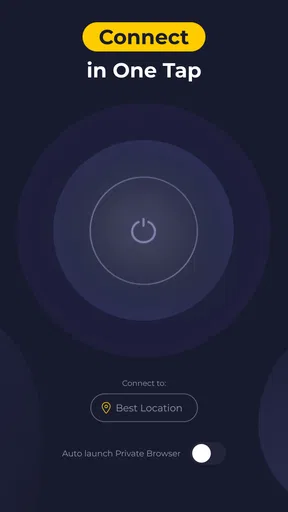
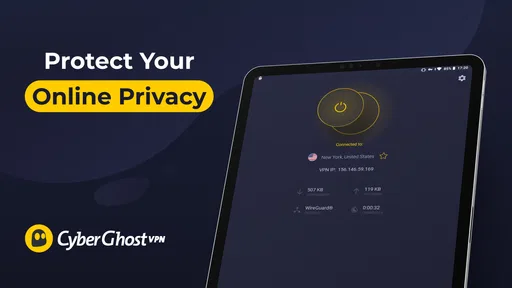
When I first opened CyberGhost VPN, the sleek and intuitive design immediately caught my eye. The app doesn’t bombard you with unnecessary info; instead, it guides you smoothly to set up your VPN protection. With a simple tap, you’re connected to a secure server. The whole process is as easy as pie, even for someone who might not be tech-savvy. I really appreciated how the app explains each feature in a straightforward manner—it’s like having a tech buddy guiding you through.
That low-friction start is useful when your attention is elsewhere: you may be standing in a station, trying to get online before a meeting, or checking a booking confirmation from a café. The main practical choice is whether to connect before you begin browsing or wait until a page makes you uneasy. I prefer connecting first, then opening the apps and sites I actually need. It keeps the routine simple and avoids relying on memory after I’ve already started sending information.
Choosing a connection for the task
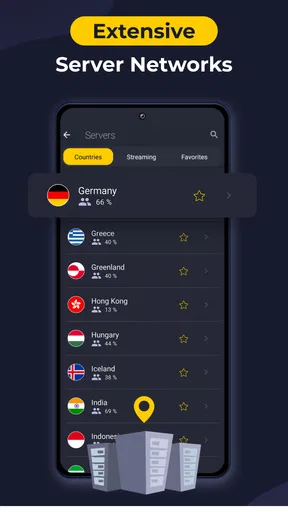
Now, let’s talk about what CyberGhost has under the hood. Firstly, you get access to over 7,000 servers across 90 countries. That’s a wide net to cast, ensuring you can find a fast and reliable connection anywhere. The app also boasts a no-logs policy, meaning your data remains your own little secret. For streaming enthusiasts like myself, CyberGhost optimizes servers for services like Netflix, Hulu, and BBC iPlayer. Watching international content just became a whole lot easier!
For a traveler, the country choice is not just about finding the farthest destination on a map. A nearby location is often the sensible first pick for routine browsing because it avoids adding unnecessary distance to the route. A different location may be useful when you have a specific regional need, but I would treat access to any streaming catalog as something that can vary by service and circumstance, not a guaranteed outcome. The useful workflow is to connect, check whether the site or app behaves as expected, and change the location only if you have a reason.
Worth Reading Before You Choose

EA SPORTS FC Mobile 26 Is a Bigger Football Game, but It Takes Time

Flipboard Shows What News Apps Must Do Beyond the Feed

Switching to Android Auto Means Rethinking Your Driving Routine

Google Calendar Makes a Crowded Week Easier to Manage

Ludo King Makes the Most of the Minutes Between Plans

Baby Panda World Brings Quick Play to Modern Phones, but Its Game Library Feels Busy
There is also a small but important trade-off in selecting a specialized connection: convenience can save time, while a general connection can be easier when you simply want everyday browsing. I would not assume that a server label removes the need to check the result. If a video service still shows the same catalog or refuses to load, trying another available option—or using the service without a VPN—may be more practical than repeatedly switching at random.
Keeping the connection in perspective
Another standout feature is the automatic kill switch. This nifty tool blocks all internet traffic if the VPN connection drops, ensuring no data leaks. It’s like having a bouncer for your data, always on guard. Plus, CyberGhost offers specialized servers for torrenting, ensuring a fast and secure download experience.
That protection is most relevant when a brief interruption would matter more than staying online at all costs. If the VPN disconnects and traffic is blocked, a page or app may stop loading until the connection is restored. That can feel like a failure in the middle of a task, but it is a deliberate privacy-versus-availability trade-off: you may have to reconnect before continuing. For a quick lookup where uninterrupted access matters more, I would weigh that inconvenience against the sensitivity of what I’m doing.
For torrenting, I’d also separate the connection choice from the content and copyright rules that apply where I live. A VPN does not grant permission to download material, and a specialized server does not make every file safe. I would use the feature only for lawful transfers and keep normal device-security precautions in place.
Speed, distance, and the outcome
Alright, let’s get to the nitty-gritty—performance. I was skeptical at first because VPNs sometimes slow down your connection. However, CyberGhost surprised me. The speeds were impressive, even when connected to a server halfway around the globe. Streaming was smooth, and there were no frustrating buffering hiccups. This is a game-changer for anyone who, like me, can’t stand loading circles.
In real use, speed is not a fixed promise; it can depend on the connection you start with, the distance to the selected server, and the service you are using. If a video suddenly stutters or a page takes longer to respond, I’d first try a closer location and compare, rather than assuming the whole VPN is unsuitable. That simple check helps distinguish a temporary route issue from a weak café connection or a busy site.
A realistic travel workflow might look like this: I connect to hotel Wi-Fi, open the VPN before checking messages or a reservation, and use a nearby server for ordinary browsing. If a work page becomes sluggish, I can test another location and decide whether the extra privacy is worth the delay for that task. Once I’m finished, I can disconnect when I need the most direct route for a service that does not work well through a VPN. The result is not magic invisibility; it is a more deliberate way to handle a less-trusted network.
What the privacy tools do—and don’t—mean
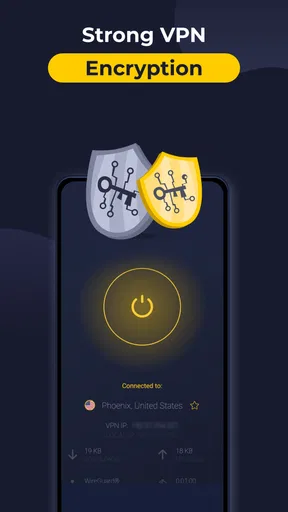
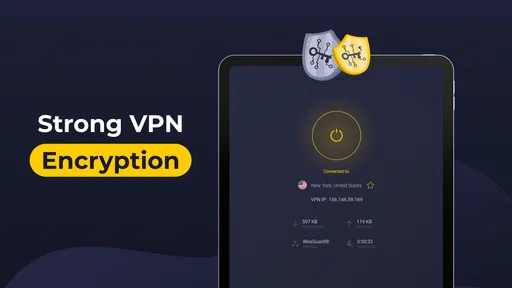
In terms of security, CyberGhost uses AES 256-bit encryption, which is basically like having a fortress around your data. They also offer multiple VPN protocols, including OpenVPN, WireGuard, and IKEv2, allowing you to choose the one that best suits your needs. The app also provides DNS and IP leak protection, ensuring your identity and location stay hidden at all times. Your online presence is as protected as it can get.
For most people, the useful takeaway is that there are different connection options behind the one-tap experience. If you are new to VPNs, I would begin with the app’s straightforward route instead of changing protocol settings without a reason. Someone troubleshooting a connection or comparing how different setups behave may have a reason to explore them, but more choices are not automatically better. A setting that improves one situation can be unnecessary in another.
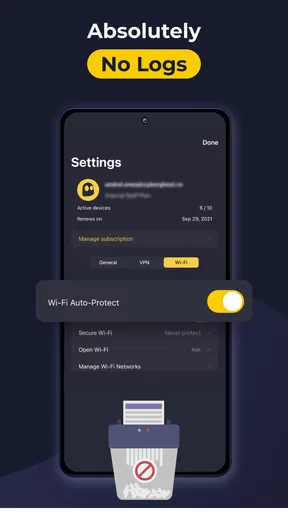
I also keep expectations measured around privacy claims. A VPN changes how your internet traffic is routed and can help protect it on networks you do not control, but it cannot stop tracking through accounts, cookies, or information you volunteer. The no-logs policy is relevant to choosing a provider, but it does not replace good account security or careful browsing. That distinction is worth remembering if privacy is your main reason for installing the app.
Moving between devices and services
Being a multi-device user, I loved that CyberGhost is available on all major platforms, including Android, iOS, Windows, and macOS. You can protect up to seven devices simultaneously, which is perfect for a family or tech enthusiast. Setting it up across devices was a breeze, and I didn’t face any compatibility issues. It’s like having a personal security team for all your gadgets.
For a phone-first user, the handoff is mainly about remembering that a VPN connection protects the device using it, not every device nearby. If I switch from my phone to a laptop, I would check the laptop’s own connection rather than assume the phone’s VPN covers it. The multi-device allowance can help a household plan which personal devices need protection, but people sharing access should still consider whose account is being used and whether everyone can manage their own connection comfortably.
There is also a practical difference between installing an app on several devices and needing all of them connected at once. If your routine involves a phone, tablet, and computer, think through which ones you actually use on untrusted networks. That makes setup less cluttered and helps you avoid treating a VPN as a background checkbox you never review.
When something goes wrong
Let’s face it, even with the best apps, sometimes things can go awry. Luckily, CyberGhost offers 24/7 customer support through live chat and email. I tested it out with a couple of questions, and the response time was swift, with helpful guidance. It’s reassuring to know help is just a click away if you ever need it.
Before asking for help, I’d note the basic circumstances: whether the issue happens on Wi-Fi or mobile data, whether it affects one app or everything, and whether changing the server makes a difference. This gives support a clearer starting point than saying only that the VPN is slow. It is also a sensible way to troubleshoot without making several changes at once and then forgetting which one helped.
The most common friction to expect is that a VPN can make some sites or apps behave differently. A bank, streaming platform, or sign-in system may react to a changed location or route, and a connection that protects browsing may not be the best choice for every service. If a trusted app refuses to cooperate, I would try a different server or temporarily disconnect for that specific task, then reconnect afterward if privacy on the network remains important.
Price, audience, and alternatives
Now, onto the not-so-fun part—pricing. CyberGhost offers various plans, with longer subscriptions providing better value for money. While it’s not the cheapest option out there, the wealth of features and robust security make it worth every penny. Plus, they offer a generous 45-day money-back guarantee, so you can test the waters without diving in headfirst.
The app is free to install, and it has in-app purchases ranging from $2.99 to $64.99 per item. Its average rating is 4.2 from around 165,000 ratings, with roughly 9,200 written reviews, and it has more than 10 million installs. It is rated for Everyone, was released on May 20, 2014, and the current version is 8.34.0.3730; Android 7.0 is the minimum operating-system requirement. Those details make it a well-established option to consider, but they do not tell you whether a paid plan suits your own needs. I would check the in-app choices carefully before committing and compare the recurring cost with how often I expect to use it.
Compared with a basic VPN built into a browser, a dedicated app can cover more than activity inside that browser, which is useful when several apps need the connection. Compared with a manual VPN profile, CyberGhost is more approachable for someone who would rather select a location and connect than configure network details themselves. The trade-off is that people who want only occasional protection on one browser may prefer a lighter or already-included option, while users who need detailed network control may favor a setup that exposes more manual configuration.
I’d recommend it most to travelers, people who regularly use public Wi-Fi, and anyone who values a simple way to switch VPN locations. I’d be more cautious if you mainly need uninterrupted access to region-sensitive services, dislike troubleshooting when an app blocks VPN traffic, or only want a free, occasional connection. In those cases, a VPN may add friction without solving the problem that matters most to you.
In conclusion, CyberGhost VPN: Secure VPN is a powerhouse in the world of online security. With its user-friendly interface, extensive server network, and top-tier security features, it’s a fantastic choice for anyone looking to safeguard their digital footprint. Whether you’re streaming, torrenting, or just browsing, CyberGhost has got your back. So, why not give it a try and surf the web with peace of mind?
Pros
- User-friendly interface for easy navigation.
- High-speed servers enhance browsing experience.
- No-log policy ensures user privacy.
- Supports multiple devices simultaneously.
- Automatic kill switch for added security.
Cons
- Limited features in the free version.
- Occasional connection drops.
- Some servers can be slow.
- Higher cost compared to competitors.
- Not available in all countries.
FAQs for CyberGhost VPN: Secure VPN
What platforms is CyberGhost VPN available on?
CyberGhost VPN is available on multiple platforms, including Android, iOS, Windows, macOS, and Linux. It also offers browser extensions for Chrome and Firefox, ensuring that you can protect your privacy and secure your internet connection across all your devices. This wide compatibility is one of its key strengths.
Does CyberGhost VPN keep any logs of my activity?
CyberGhost VPN follows a strict no-logs policy, meaning it does not record or store any information about your online activities. This commitment to privacy ensures that your browsing history, connection timestamps, and IP addresses remain private and secure, thereby enhancing your online anonymity.
How many devices can I connect simultaneously with CyberGhost VPN?
A single CyberGhost VPN subscription allows you to connect up to seven devices simultaneously. This feature is particularly useful for families or individuals with multiple devices, ensuring that all your internet-enabled gadgets are protected under one account without needing additional subscriptions.
What security features does CyberGhost VPN offer?
CyberGhost VPN offers robust security features, including 256-bit AES encryption, an automatic kill switch, and DNS and IP leak protection. It also provides access to NoSpy servers for extra security and privacy. These features work together to ensure that your data remains safe from hackers and surveillance.
Can CyberGhost VPN unblock geo-restricted content?
Yes, CyberGhost VPN is highly effective at bypassing geo-restrictions, allowing you to access content from streaming services like Netflix, Hulu, and BBC iPlayer. With its extensive network of servers worldwide, you can enjoy a wide range of international content by connecting to different server locations.


